Find Sensitive Information Before Getting Shared
Organizations handle sensitive information every day. Customer records, employee files, financial data, contracts, intellectual property, medical details, tax documents, credentials, and business plans move across email, cloud storage, collaboration platforms, laptops, mobile devices, file shares, and third-party systems.
Data Loss Prevention, or DLP, helps organizations find sensitive information and reduce the chances that it gets shared, copied, moved, or exposed in a risky way. A strong DLP program does more than block activity. It helps people make safer decisions, reduces avoidable risk, and allows normal business work to continue.
What DLP Does
DLP policies look at how users interact with sensitive information. When an action matches a policy, the system can respond in different ways.
For example, a DLP policy might detect someone trying to email a spreadsheet with Social Security numbers to an external address. Another policy might catch a file containing medical information being uploaded to an unapproved cloud service. A different rule might identify customer data being copied from a company laptop to removable media.
The response depends on how the policy has been set up.
In some cases, DLP may show the user a warning before the action goes through. This message may appear as a policy tip, user prompt, or warning. The goal goes beyond stopping risky behavior. It also helps the user recognize that the information may be sensitive.
DLP can also block an action but allow the user to override the block after entering a business justification. This approach works well when the organization wants protection without disrupting legitimate work. For instance, a finance manager may have a valid reason to send tax-related information to an outside accountant. Requiring a justification gives the security or compliance team a record of why the action was allowed.
For higher-risk activity, DLP can block the action completely with no override option. This may make sense when someone tries to send protected health information to a personal email account, upload regulated data to an unknown website, or copy confidential files to an unauthorized location.
For stored data, often called data at rest, DLP can also trigger containment actions. Sensitive files may be moved to a secure location, restricted from general access, encrypted, or flagged for review.
In messaging and collaboration tools, DLP can prevent sensitive content from being shared in chats, channels, comments, or attachments. This helps reduce accidental exposure in fast-moving environments where people may post information quickly without thinking through the risk.
Most DLP tools also create logs or alerts when a policy match occurs. These records help security, compliance, legal, and IT teams investigate incidents, spot trends, improve policies, and document what happened.
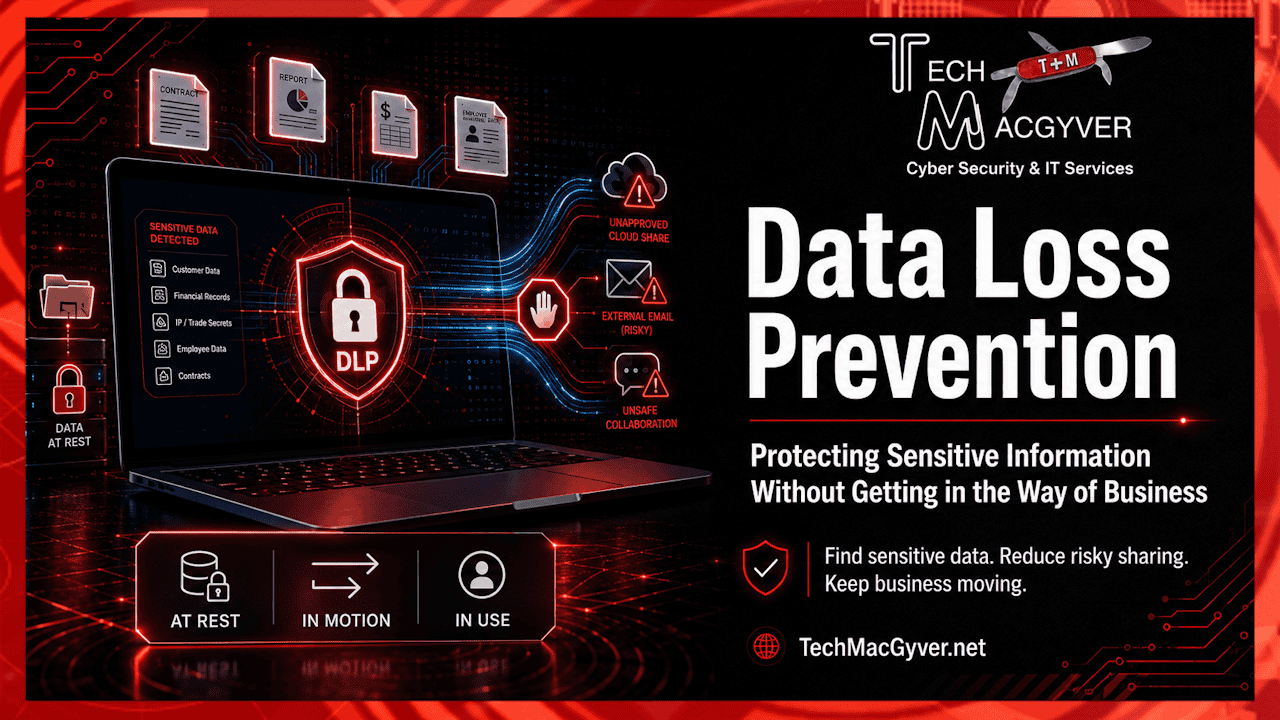
DLP Protects Data in Three Main States
A practical DLP program considers where information lives and how it moves.
Data at rest includes information stored in file servers, cloud drives, databases, endpoint folders, document repositories, and backup locations.
Data in motion includes information being sent or transmitted. This covers email, web uploads, file transfers, messaging platforms, APIs, and cloud sync activity.
Data in use includes information being actively opened, edited, copied, printed, pasted, downloaded, or moved by a user or application.
Many organizations start with email and cloud storage because accidental sharing often happens there. Over time, DLP may expand to endpoints, on-premises file shares, collaboration tools, databases, SaaS applications, and other business platforms.
The DLP Lifecycle
A successful DLP rollout usually moves through three broad stages: planning, preparation, and production deployment.
1. Plan for DLP
The planning stage often determines whether a DLP program succeeds or struggles. The organization needs to decide what it wants to protect, where that information lives, who needs access to it, and which actions should be allowed, warned, or blocked.
This starts with identifying sensitive information. Common examples include personally identifiable information, payment card data, health records, legal documents, payroll records, customer lists, trade secrets, source code, security credentials, and confidential business plans.
The next step involves understanding how that information gets used. Which departments handle it? Which vendors receive it? Which employees need it for their jobs? Which systems store it? Which business processes depend on it?
This context matters. DLP policies written without an understanding of the business can create unnecessary problems. A rule that blocks all external sharing of financial documents may sound reasonable, but it could interfere with accountants, auditors, banks, insurers, or legal counsel. The goal should be to protect sensitive information without breaking valid business workflows.
Business process owners should be involved early. They can explain what normal activity looks like, what creates risk, and where exceptions may be needed.
2. Prepare for DLP
Before enforcing DLP rules, organizations should prepare their users, systems, and support teams.
On the technical side, this may include choosing DLP tools, identifying data locations, setting up sensitive information types or classifiers, configuring alerts, defining roles and responsibilities, and making sure logs are available for review.
Preparation should also include testing. Many DLP tools offer audit, test, or simulation modes. These modes allow the organization to see what a policy would detect before it starts warning or blocking users.
Simulation helps because early DLP policies often generate too many false positives. A false positive occurs when a policy flags something as sensitive or risky even though it poses no real problem. Too many false positives can frustrate users and overwhelm the team responsible for reviewing alerts.
Testing gives the organization time to tune policies before enforcement. That may mean adjusting keywords, adding exceptions, narrowing the scope, excluding certain groups, changing thresholds, or modifying what happens when a policy match occurs.
3. Deploy Policies in Production
After policies have been tested and refined, they can move into production. That does not mean every policy should immediately start blocking activity.
A phased approach usually works better. Start with visibility. Then introduce warnings. After that, use overrides with business justification for selected scenarios. Finally, apply hard blocks to the highest-risk activities.
For example, an organization might monitor external sharing of sensitive files for 30 days. After reviewing the results, it may begin showing warnings to users. Later, it may block certain types of sharing unless the user provides a business justification. For highly sensitive data, such as regulated health, financial, or identity information, the organization may eventually block unauthorized sharing completely.
This gradual approach helps reduce disruption and gives users time to adjust.
DLP Also Requires a Culture Change
DLP involves more than technology. It also changes how people handle information.
Most employees spend their workday focused on getting things done: sending a file, helping a customer, sharing a report, or solving a problem quickly. They usually do not think in terms of “data loss prevention.” A DLP program needs to account for that reality.
That makes training important. Users should understand what types of information are sensitive, why certain actions create risk, and what to do when they receive a warning. Training should feel practical and specific. For example, “Do not send customer tax documents to a personal email account” works better than a broad reminder to “protect confidential information.”
Policy tips and warning messages can also act as just-in-time training. A short warning at the moment a risky action may happen can have more impact than a long annual training session that users quickly forget.
Practical DLP Best Practices
Start with the highest-risk data. Avoid trying to protect everything at once. Identity data, financial records, customer information, health information, credentials, and confidential business files make good starting points.
Use monitoring before blocking. This helps the organization understand how people actually use and share information before strict enforcement begins.
Work with business owners. DLP policies should reflect real business processes, not assumptions about how work happens.
Keep policies narrow at first. Broad policies can create too much noise and frustrate users.
Create a clear exception process. Some blocked activity may be legitimate, and users need a defined way to ask for help.
Review alerts regularly. DLP requires ongoing attention and adjustment.
Use DLP as a way to educate, rather than punish. Most data exposure happens by accident, not through malicious intent.
Final Thought
Data Loss Prevention works best when it brings together technology, business process knowledge, and user awareness. The goal should be to help employees handle sensitive information safely while still allowing them to do their jobs.
A mature DLP program gives the organization better visibility, reduces accidental data exposure, supports compliance, and helps users make safer choices. Start small, test carefully, tune policies based on real activity, and increase enforcement over time.